Meshy AI 3D Generator Review 2026: 185 MB Per House, $193 to Ship It
I parsed the files Meshy actually hands you for a building, then costed them as a web feature: two minutes of download on mobile, 185 MB of VRAM, and a CDN bill an order of magnitude too high. Scores and the alternative.
My verdict in 60 seconds — Meshy 60/100, SupaVoxel 90/100
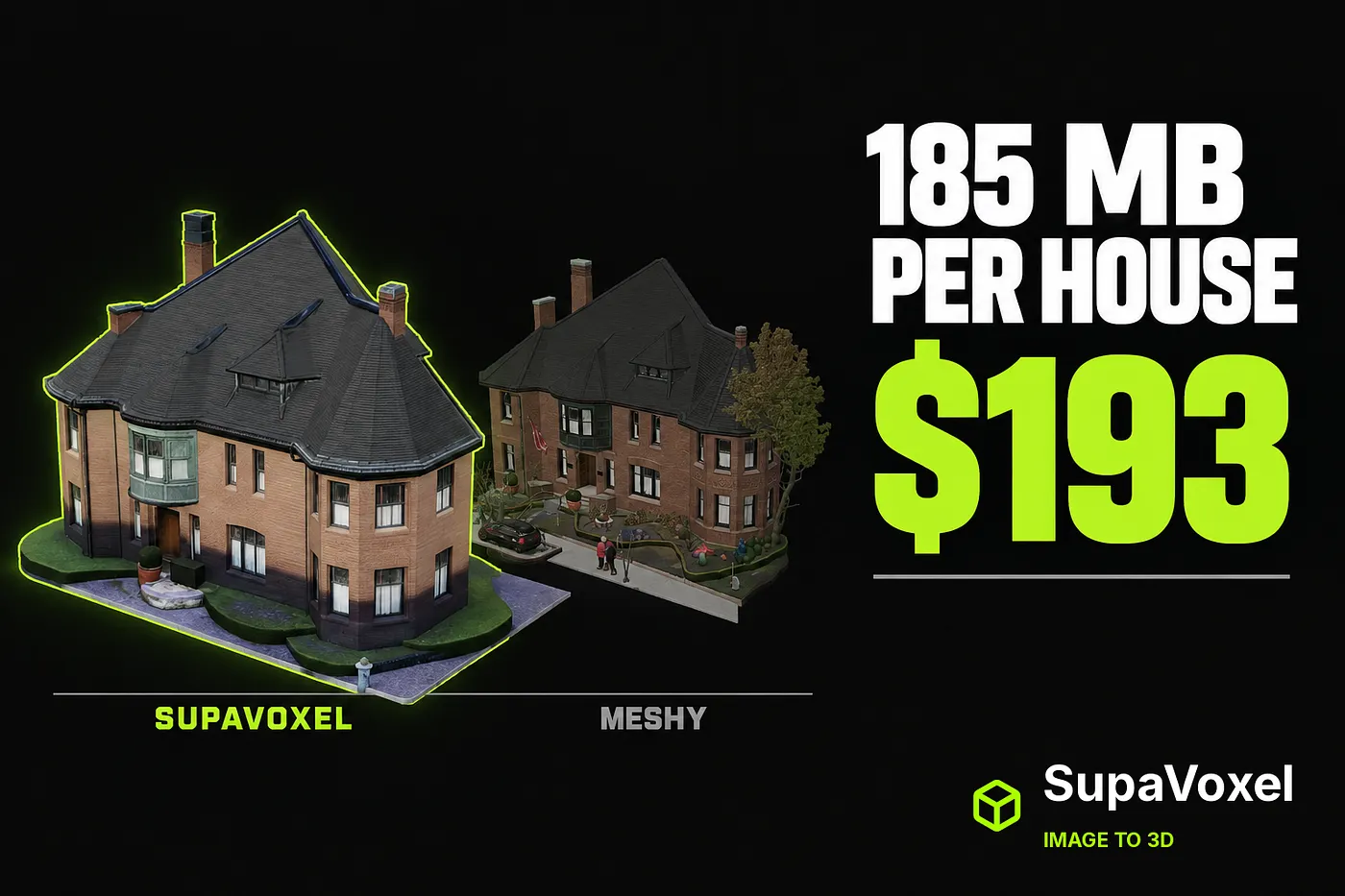
One photo of a house, run through Meshy 7.1 Flagship and through SupaVoxel on the same day, on the same machine. Every number here is parsed out of the downloaded GLB, not read off a dashboard. My scores and the exact defect behind each:
- File weight — Meshy 1/10 · SupaVoxel 10/10. Meshy’s GLB is 193,873,708 bytes (184.9 MB) with
extensionsUsed = []— no compression at all. SupaVoxel's is 15,900,916 bytes (15.2 MB) with meshopt compression and mesh quantization. 12.2× heavier. - Efficiency per triangle — Meshy 2/10 · SupaVoxel 10/10. 32.0 bytes per triangle from Meshy against 10.6. So it is not “more detail, hence bigger” — Meshy is fatter per triangle and carries 4× more of them.
- Mobile experience — Meshy 1/10 · SupaVoxel 9/10. On a 12 Mbps connection your visitor waits 129.2 seconds for the Meshy model. SupaVoxel: 10.6 seconds.
- Running cost — Meshy 1/10 · SupaVoxel 10/10. At 10,000 page loads a month that is 1.94 TB / $193.90 of egress against 0.159 TB / $15.90. Identical feature, about $178 a month of difference.
- Ready to ship — Meshy 2/10 · SupaVoxel 9/10. 185 MB of geometry in VRAM from Meshy means a mandatory decimation pass that destroys the detail you paid for. SupaVoxel’s 47 MB goes straight in.
- Cost per model — Meshy 3/10 · SupaVoxel 10/10. 35 credits against 3. A hundred buildings: 3,500 credits, 13.3 hours and 19.4 GB versus 300 credits, 8.2 hours and 1.59 GB.
- Decode speed — Meshy 9/10 · SupaVoxel 7/10. Meshy’s only win in this article, and a real one: uncompressed means no decode, so it hit first frame 337 ms sooner locally. That is 0.34 s of CPU against 169 MB of network.
- Export range — Meshy 10/10 · SupaVoxel 6/10. Eight formats including FBX, BLEND and DXF. Nothing here touches it.
If the model’s next stop is a URL, do not ship Meshy’s file. It is a source master, not a deliverable — and treating it as one costs you two minutes of your visitor’s patience and roughly $178 a month. For this job I’d use SupaVoxel and keep Meshy for the DCC handoff.

The single photo both products received. This article is not about how the models look — it is about what they weigh and what that weight costs you.
For a building on the web, the file is the product
For a game character you can decimate and bake at leisure. For a building on a page — a property listing, a rental, a virtual tour, an architect’s portfolio — there is no leisure. The visitor is on a phone, and either the house turns within a couple of seconds or they are gone.
I reviewed Meshy’s reconstruction quality separately in The Back of the Building Is Missing, and the short version is bad: on the rear roof it produced no dormer at all. Here I am only asking the shipping question. How many bytes, how many triangles, how much VRAM, how many seconds, how many dollars.
How I measured
- Downloaded both GLBs from the products themselves and parsed each with a glTF reader reporting triangles, vertices, materials, textures, image dimensions and
extensionsUsed. - Meshy’s own UI triangle count and my parse agree exactly — 6,056,056 either way — so these are the file’s numbers, not estimates. Credit to Meshy for reporting it honestly.
- Load timing on one machine, one three.js version, files read from local disk so the network is out of it; three runs each, median reported.
- Download and CDN figures are arithmetic on measured bytes, with every assumption stated so you can substitute your own.
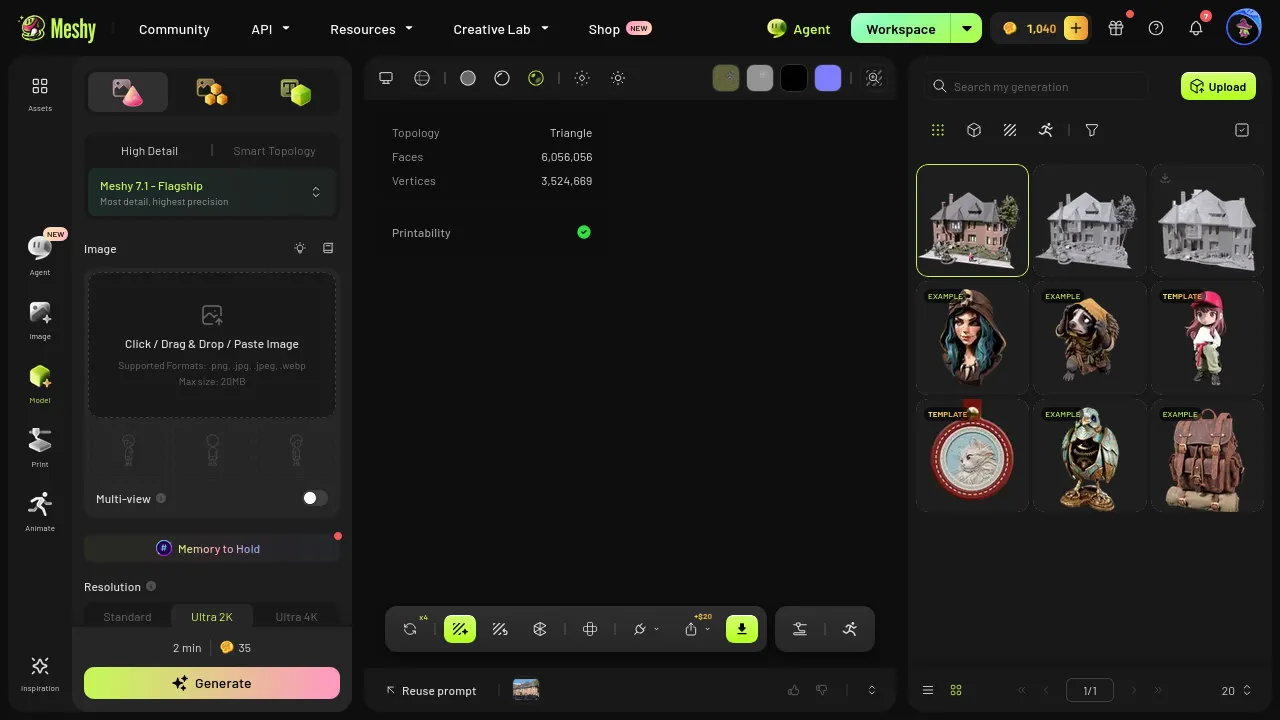
Meshy reports its triangle count accurately in the UI. It just doesn’t tell you what that count is about to cost you.
Inside the two files: Meshy compresses nothing
- Meshy:
extensionsUsed = []. Raw float positions, raw normals, raw UVs, 32-bit indices, three 2048 × 2048 JPEG textures. One material, one mesh. - SupaVoxel:
EXT_meshopt_compression,KHR_mesh_quantization,KHR_materials_specular, three 4096 × 4096 WebP textures.
The specifics, side by side:
- Bytes: Meshy 193,873,708 · SupaVoxel 15,900,916–12.2× larger
- Triangles: Meshy 6,056,056 · SupaVoxel 1,499,830–4.0× more
- Vertices: Meshy 3,524,669 · SupaVoxel 896,732
- Bytes per triangle: Meshy 32.0 · SupaVoxel 10.6–3.0× heavier per triangle
- Texture pixels: Meshy 12.6 Mpx (3 × 204⁸²) · SupaVoxel 50.3 Mpx (3 × 409⁶²)
Read the last two together, because they are damning: Meshy ships four times the geometry and a quarter of the texture resolution. It is heavy in the dimension that costs bandwidth and thin in the dimension that produces quality. Every compression extension in the glTF spec is free, standardised and supported by three.js, Babylon and every engine that matters. Meshy uses none of them.
Turning texture on triples the triangle count, with no control
Meshy’s geometry-only pass gave 2,046,180 triangles. The same photo with texture on gave 6,056,056 — the textured run is not the same mesh with pictures applied, it is a different, three-times-denser mesh. There is no target-polycount field anywhere in that flow. Meshy owns a perfectly good Remesh tool with 3K–100K presets, which makes this worse, not better: the capability exists and simply is not wired into the pipeline that bills you.

Meshy’s 2.05-million-triangle geometry pass — the untextured 25-credit result.

The same area after Meshy’s texture pass: three times the triangles, none of the extra density landing on a feature.

SupaVoxel at 1,499,830 triangles — a quarter of Meshy’s count, and the openings are still square.
129 seconds versus 10
Arithmetic on measured file sizes, at 12 Mbps mobile and 100 Mbps home broadband — real throughput, not advertised peaks:
- 12 Mbps mobile: Meshy 129.2 s · SupaVoxel 10.6 s
- 100 Mbps home: Meshy 15.5 s · SupaVoxel 1.3 s
Two minutes and nine seconds of staring at a spinner on a listing page. There is no loading animation in the world that survives that, and no amount of “but the mesh is detailed” that excuses it.
The CDN bill nobody budgets for
Put the model on a page taking 10,000 loads a month and price egress at $0.10/GB — between Vercel’s $0.15 and Cloudflare R2’s $0.09 — counted in decimal GB/TB the way CDNs bill:
- Egress: Meshy 1.94 TB · SupaVoxel 0.159 TB
- Bill: Meshy $193.90 · SupaVoxel $15.90
- Difference: about $178 a month for the identical feature — nine Meshy Pro subscriptions’ worth of bandwidth spent shipping uncompressed vertex data
It scales linearly. At 100,000 loads it is $1,939 against $159.
185 MB of VRAM, and the decimation tax
At a conservative 32 bytes per vertex (position 12 + normal 12 + UV 8) plus 4 bytes per index:
- Geometry in VRAM: Meshy 185 MB · SupaVoxel 47 MB — 3.9×
185 MB of geometry for one house is a mid-range-phone problem, so the real Meshy web workflow has an extra step: decimate before you ship. And that step eats the window-head and sill relief Meshy just spent 4× the triangles producing. You pay for detail, then pay again to delete it. At 1.5 million triangles and 47 MB, SupaVoxel skips the tax entirely.
Meshy’s one win: nothing to decompress
Same machine, same three.js, local disk so the network is out of the equation, three runs, median:
- Parse to first frame: Meshy 1,166 ms · SupaVoxel 1,503 ms
Meshy’s raw file goes almost straight to the GPU; the compressed file runs meshopt decode on the CPU first, costing 337 ms. So the honest trade is 0.34 seconds of CPU against 169 MB of network. On a phone that is not a close call — but if you are loading from local disk in a desktop tool, Meshy’s format genuinely gets there first, and I am not going to pretend otherwise.
A hundred buildings
Scale to a street: 100 buildings, serial, no queueing, using measured per-model figures (Meshy’s texture pass at an 8-minute midpoint of the observed 4.5–10 minutes, SupaVoxel at its measured 295 s):
- Credits: Meshy 3,500 · SupaVoxel 300
- Wall clock: Meshy 13.3 hours · SupaVoxel 8.2 hours
- Disk: Meshy 19.4 GB · SupaVoxel 1.59 GB
- Manual cleanup: Meshy — 100 × “cut the car and the pedestrians out of a single-material mesh” · SupaVoxel — none
3,500 credits is above Meshy’s Premium tier and inside Ultra: those hundred buildings are a $100 month on Meshy, plus 13 hours, plus the cleanup. On SupaVoxel they are 300 credits.
A chunk of Meshy’s payload is the street, not the house
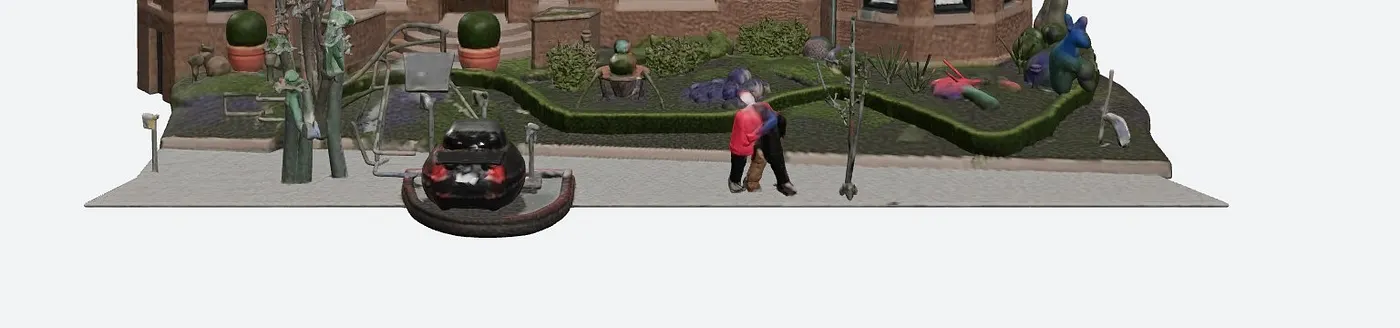
Everything in this Meshy frame is triangles and texture pixels you downloaded, paid egress on, and cannot select separately — one mesh, one material.
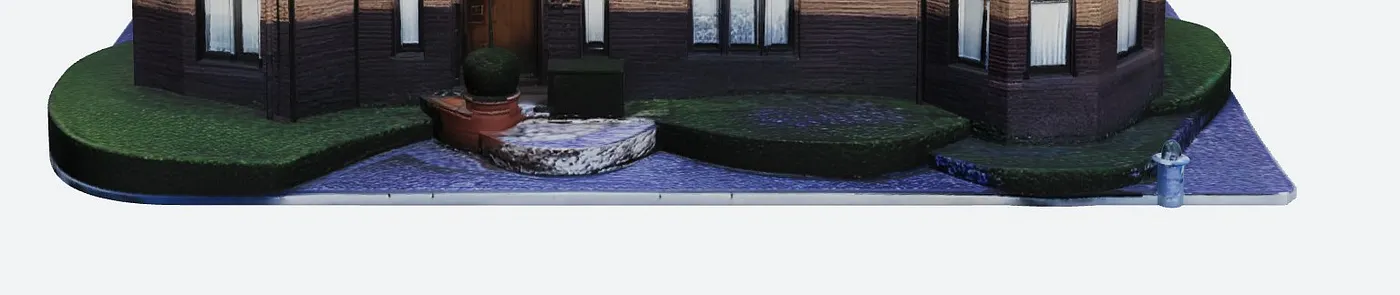
SupaVoxel’s ground plane: lawn, driveway, sidewalk, straight-edged base plate, one small fire hydrant. Nothing you didn’t ask for.
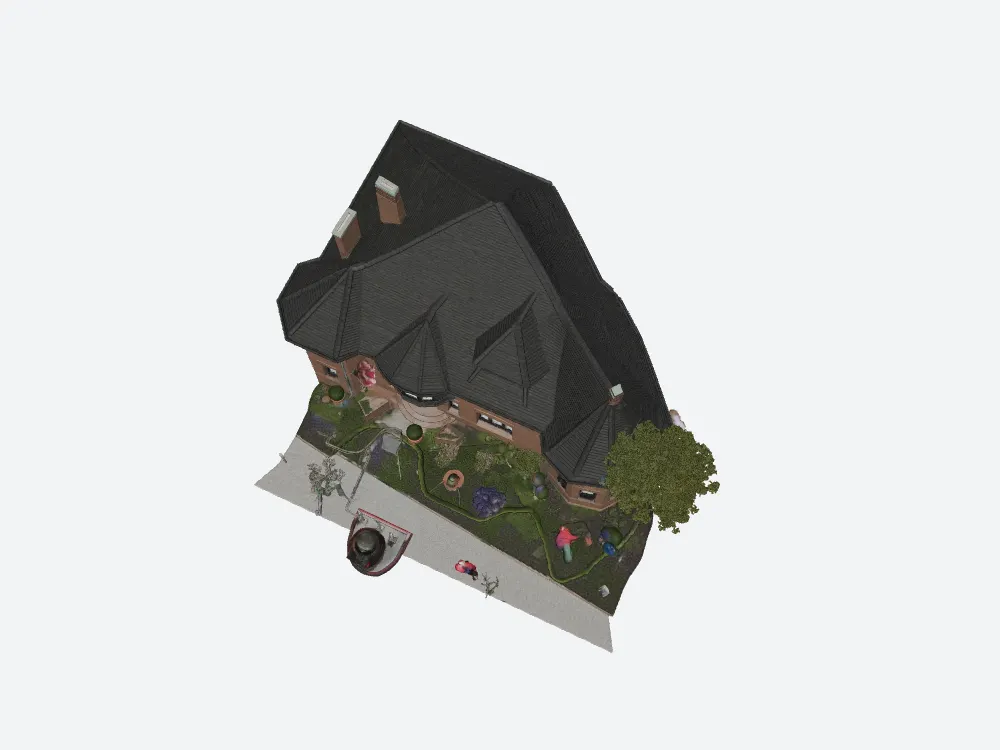
Top-down on Meshy: the footprint includes the street furniture you are paying to transmit.
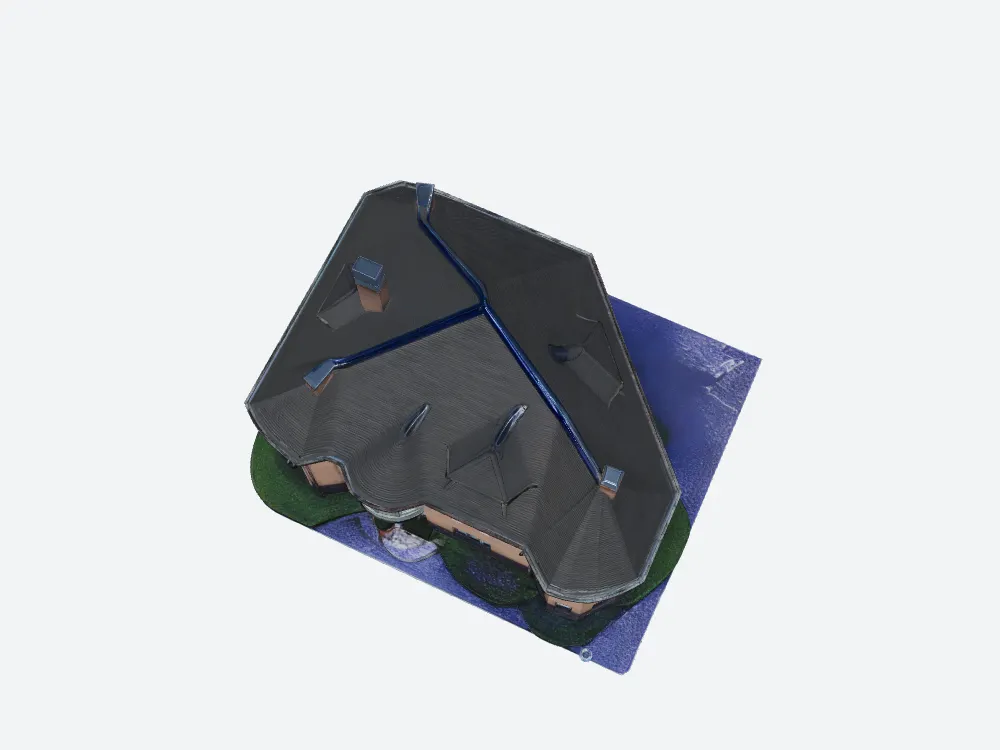
Top-down on SupaVoxel: building plus base plate.
Where Meshy is unbeatable: the export dialog
This is Meshy’s strongest ground and it has nothing to do with weight. Meshy exports GLB, FBX, OBJ, USDZ, STL, BLEND, 3MF and DXF and lets you set the real-world size of the object and where its origin sits. If your target is Maya, 3ds Max or a CAD handoff, that row is a genuine reason to pay Meshy and nothing in this article outweighs it.
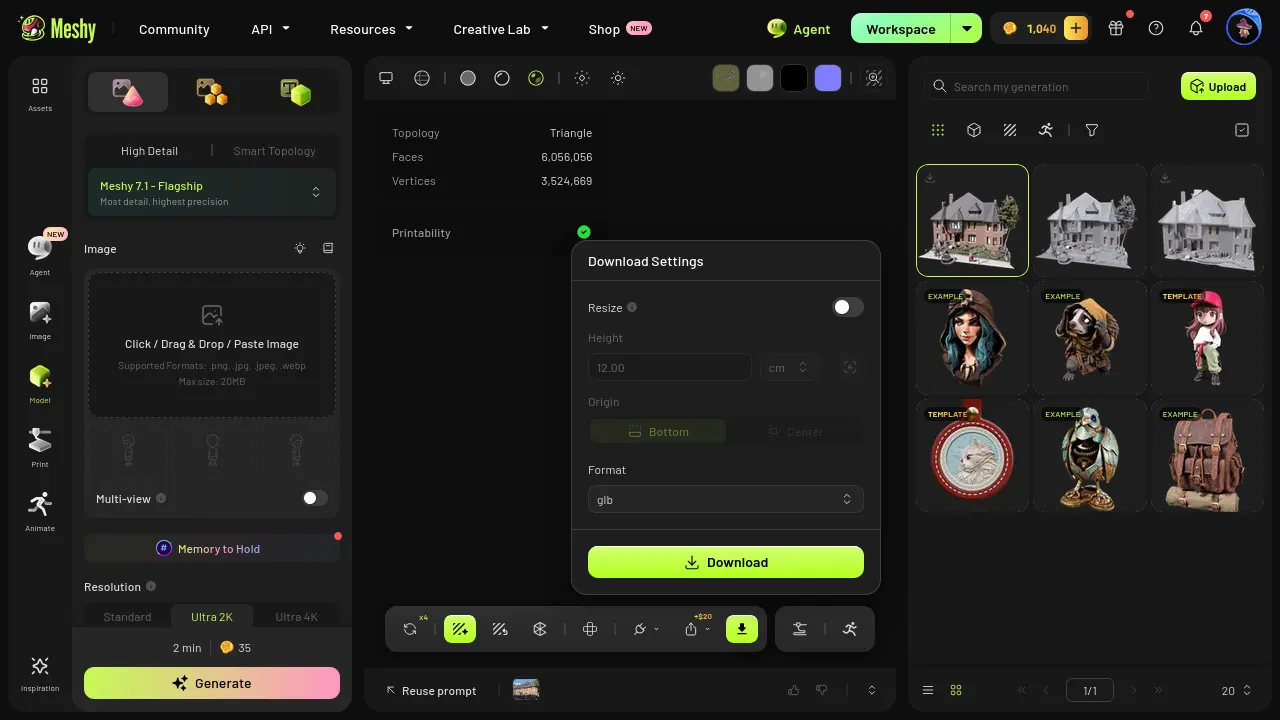
Meshy’s export dialog — eight formats plus size and origin. Best in class, no argument.
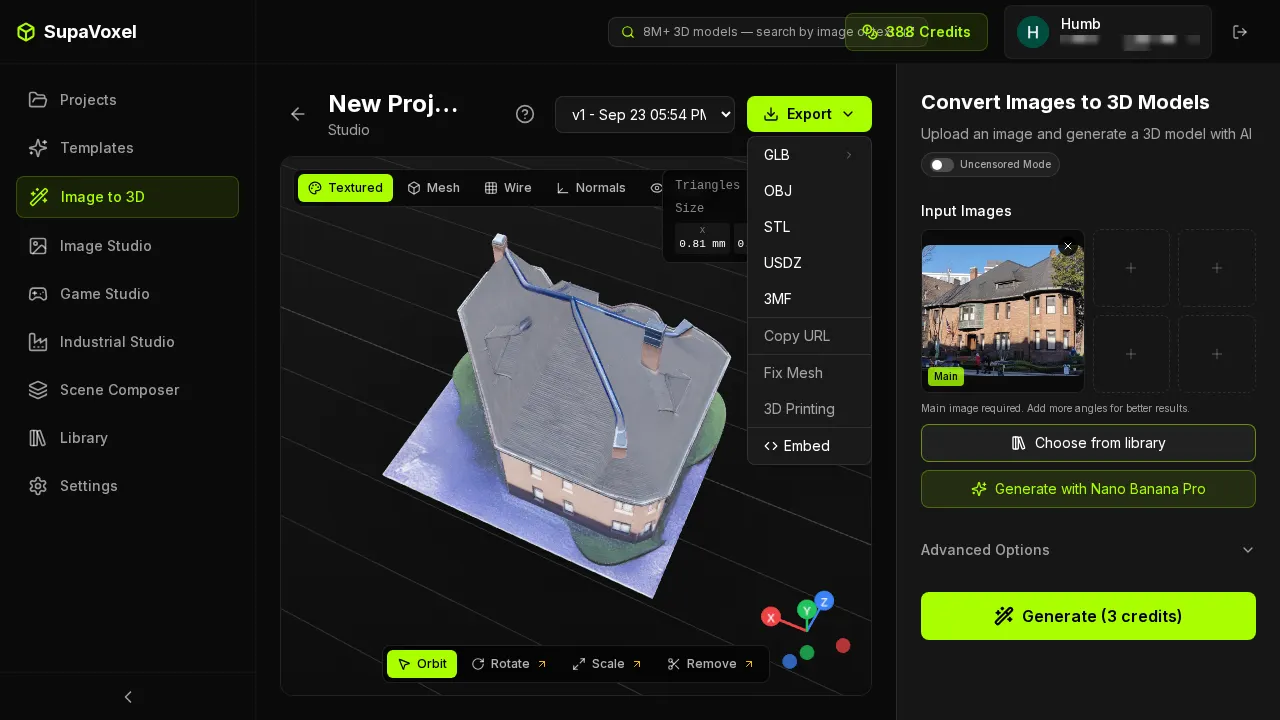
SupaVoxel exports five formats and no FBX: Web, engine and 3D print covered, legacy DCC not.
The progress bars, since we are counting honesty
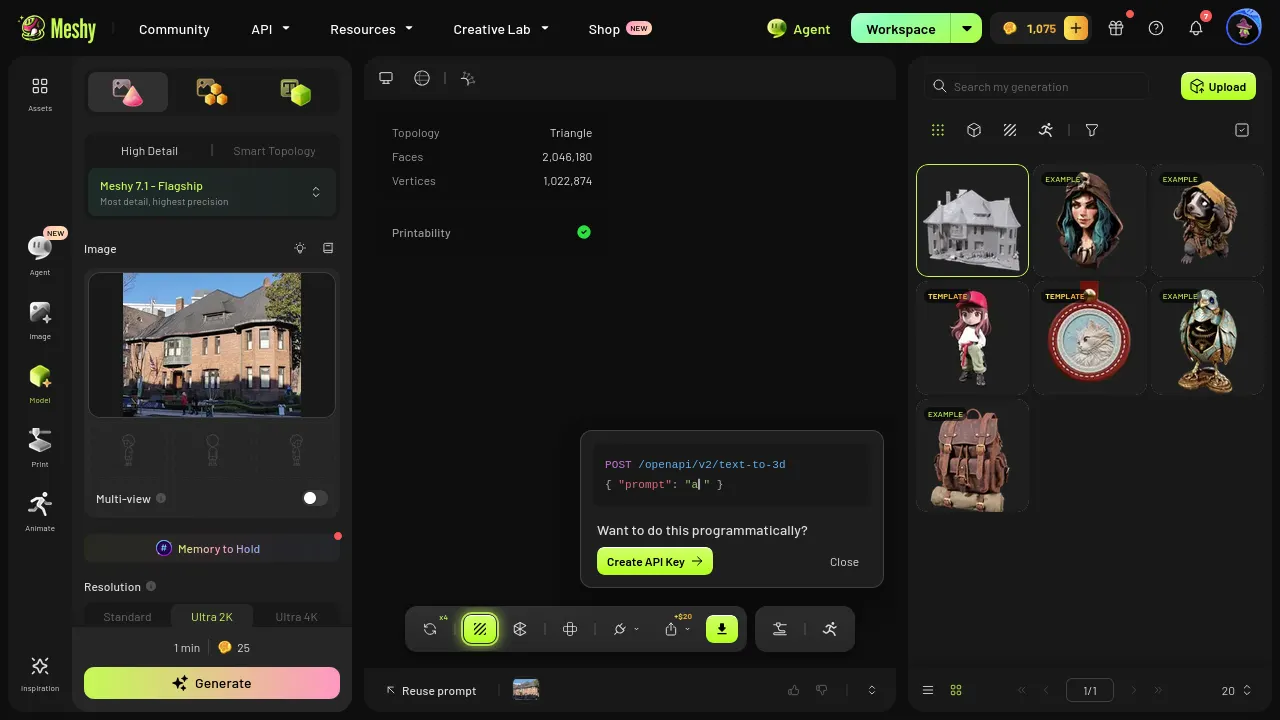
Meshy’s geometry pass beat its estimate at 58–74 s. Its texture pass then ran 4.5–10 minutes against “2 min” — 3–5× over.
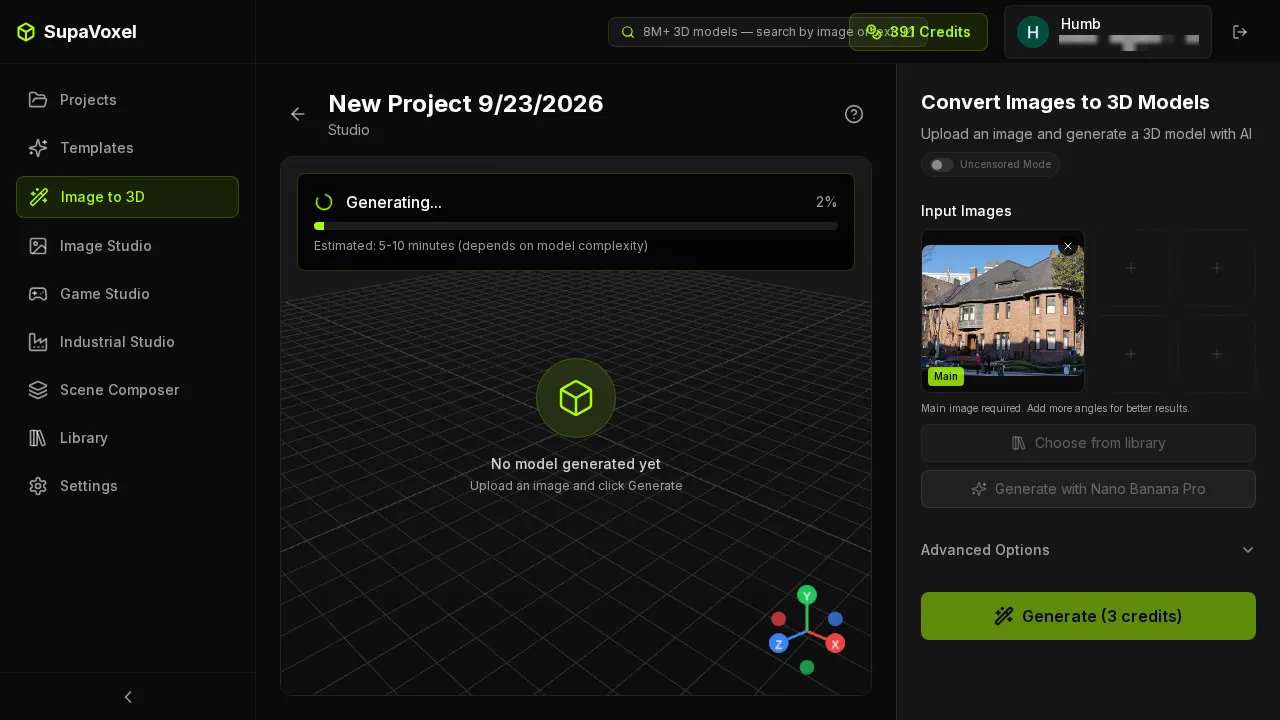
SupaVoxel quoted “5–10 minutes” and delivered in 295 seconds — early, which is the direction you want an estimate wrong in.
Meshy pros and cons for shipping
Earned:
- Eight export formats with real-world scale and origin control.
- UI triangle counts that match the file exactly.
- Fastest to first frame from local disk (1,166 ms), because there is nothing to decode.
- Fast geometry pass, inside its own estimate.
Not acceptable:
- 184.9 MB with zero compression extensions — 12.2× the alternative.
- 32.0 bytes per triangle against 10.6.
- 129.2 s on mobile and $193.90/month of egress at 10,000 loads.
- 185 MB of geometry VRAM, forcing a decimation pass that erases the detail you bought.
- Texture pass triples triangles with no polycount control in that flow.
- 12.6 Mpx of texture for the whole scene, part of it spent on a car.
Meshy pricing against the bandwidth
Meshy’s 2026–09 plans: Free 100 credits/month, Pro $20/month / 1,000, Premium $40/month / 3,000, Ultra $100/month / 8,000, ~20% off annual. Here is the part that should decide it for a web team: the CDN bill from one Meshy building on one busy page is $193.90 a month — more than the Ultra plan. The subscription is not your main cost. The file is.
Final verdict: Meshy scores 60 — a good master, a bad deliverable
Treat Meshy’s GLB as a source master for a DCC pipeline and it is decent: fast, detailed where the photo looked, unmatched on export formats. Treat it as something you ship and the numbers are indefensible: 184.9 MB, no compression, two minutes on mobile, $178/month of extra egress, plus a decimation pass that undoes the detail.
You can confirm the single most important fact in about thirty seconds: export any model from Meshy, open the GLB in a glTF inspector, and look at extensionsUsed. That empty array is the whole review.
The rest of this Meshy building test
Same photo, same two products, same day:
- The Back of the Building Is Missing — the reconstruction: no dormer at all on Meshy’s rear roof, rear windows degraded to smudges, and 4× the triangles buying worse topology.
- 60 Credits for One Usable Model — the Texture toggle Meshy hides off by default, and its wall colour measured at ΔE 29.7 against the photograph versus SupaVoxel’s 10.6.
Use SupaVoxel for this job
Two mechanical Meshy failures decided it: nothing in its export path compresses, and the texture pass inflates geometry you cannot cap. SupaVoxel answered both on the identical photo.
- 15.2 MB against 184.9 MB —
EXT_meshopt_compression+KHR_mesh_quantization+ WebP, a pipeline actually built for browsers and engines. - 10.6 s on mobile against 129.2 s, and $15.90 against $193.90 of monthly egress at 10,000 loads — about $178/month back.
- 1,499,830 triangles and 47 MB of VRAM, so it ships with no decimation pass and keeps its detail.
- 3 credits per textured model against 35–100 buildings for 300 credits, 8.2 hours and 1.59 GB instead of 3,500 credits, 13.3 hours and 19.4 GB.
- Free tier of 3 models a day, no card, credits that never expire.
The one cost on SupaVoxel’s side: 337 ms of meshopt decode on load. I will take that trade 169 MB out of 169 MB times.
If your file’s next stop is Maya or a CAD package, buy Meshy for the exporter. If its next stop is a URL, price the bandwidth first and then spend five minutes on SupaVoxel.